



Justin Morton puts the latest Orca display and software to the test over 450 miles to see if it performs better than a traditional chartplotter
Is the upgraded Orca Navigation System better than a traditional chartplotter? We test it over 450 miles to find out
I should declare right at the start that I am a fan of the type of navigation system that Orca has developed. I already use portable systems (iPad tablet and phone) to augment my built-in systems on my Nelson 42 powerboat, so it was nice to be asked to take a harder look at the Orca navigation system and its newly released software upgrade.

Heading to Start Point during the Orca test. Credit: Justin Morton
For those unfamiliar with Orca, it is a navigation app but also a rugged waterproof tablet, charging mount/dock and a separate multi-function data gateway that wirelessly links your onboard sensors to portable devices that use the Orca app. It has been around since 2021 and several hardware iterations have been released and the software is being continuously improved. I was lent the very latest hardware along with pre-release versions of the latest software.
Orca Navigation System: The Hardware
The Tablet (Display 2) and Mount
Using a normal tablet or phone on deck is often a sub-optimal experience and Orca’s Display 2 (£899) has been designed from the ground up to address those issues. It is rated IPX6 meaning it will cope with a good hosing down, but not complete immersion. It’s also quite robust and although no specification is given, my display fell a full two metres down some steps onboard (quite early on in the test!) and survived.
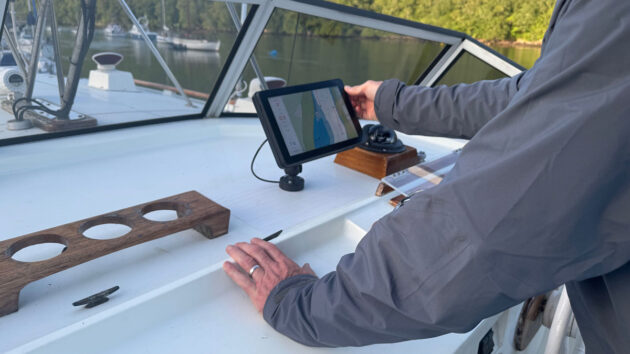
The Orca tablet is robust and is secured in a mount. Credit: Justin Morton
It isn’t cheap but specification is key and I struggled to find anything directly comparable let alone for less. The charging mount/dock (£259) is a revelation and being able to easily ‘put’ the tablet somewhere secure and safe where it will continue to work in all conditions increases the tablet’s utility significantly. The mount’s wireless charger easily keeps up with the tablet’s maximum power draw and it won’t overheat, a common problem for most normal devices when working and charging in full sun.
The screen can also be seen when wearing sunglasses and it’s not until you see it side-by-side with a regular tablet that you realise just how much clearer it is. However, the screen isn’t as bright as a dedicated chartplotter but unless your chartplotter is modern, the resolution will likely be lower and the tablet will use less power.
The Core 2
The Core (£499) does a number of things: it is a sophisticated heading sensor designed to control your autopilot; a high-precision multi-band GNSS receiver, a motion sensor and a sailing processor. It’s also the gateway that transmits its own and your connected instrument data to the Orca app installed on your device(s). You connect it with one cable to your instrument data network’s backbone (NMEA 2000) either directly (Micro C) or through commonplace adapters. It will also connect to your ethernet network to link with and control your Navico or Raymarine radar.
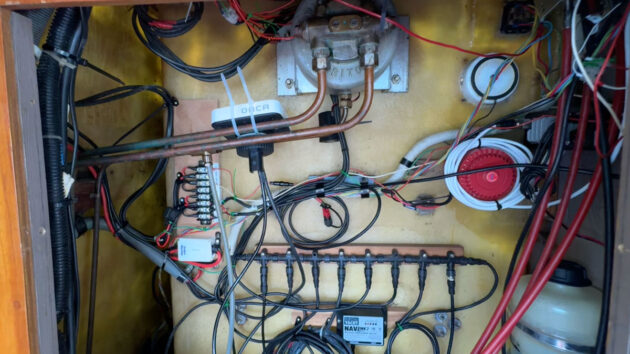
The easiest place to install the Core may not be the best. Follow the positioning and calibration recommendations to get the most out of your device. Credit: Justin Morton
Installation and connection of the Core is simple but I found the location really mattered. I put mine in an awful place initially (under my upper helm instrument panel) and consequently got intermittent results because of the electrical noise. It is a precision instrument and to get the best out of it, it pays to follow the installation recommendations and calibration instructions as best you can.
The Software
The Orca app is available for both Apple and Android phones, tablets and computers and will synchronise your account data (location/routes/logbook) across your devices. There are three subscription tiers: The first is free, offering online only charting and routing and includes 5-day weather forecasts. The second tier – Plus (£44.99 per year) offers offline charts and longer routes, and lastly – Smart (£129.99) effectively doubles the range of routes and weather forecasts and includes a few extras.
Passage Planning with the Orca Navigation System
I travelled about 450 miles along the south coast between Dartmouth and the Isles of Scilly using Orca. In the UK, we get access to four weather models including the well-regarded ECMWF and the UK Met Office high-resolution model. Forecasts are up to 5 days or 10 days depending on the subscription tier.
The weather functionality has been recently redesigned and scrolling through the timeline makes it easy to visually assess the likely conditions such as wind strength, wave height, tidal stream (currents) and tidal heights (which are time-limited to the weather forecast window).
An excellent feature for this app’s price point is that once you’ve selected a departure time for a route, Orca calculates and displays your timings along it, so you can scroll through to see what the expected conditions will be like at any point in your journey.
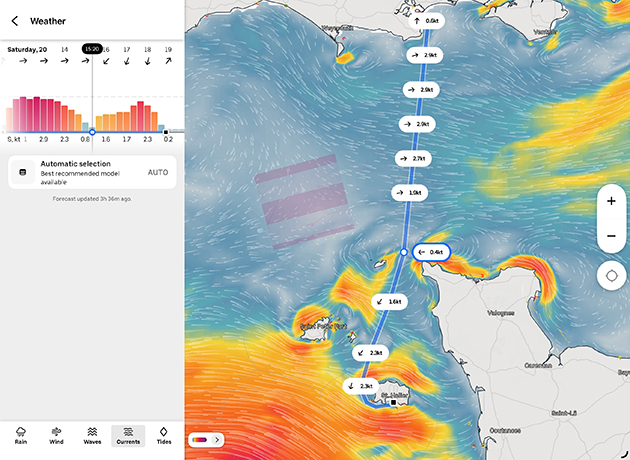
Tidal stream visualisations really bring them to life. Credit: Justin Morton
How Orca displays tidal stream information is excellent. It uses a prediction model (AMM15) rather than a fixed data set which allows for a similar display style to the animated wind we are used to. And I think this is more than just pretty visuals. Combined with the ability to scroll through time to see where you will be along your route, you can’t fail to notice the upcoming conditions and consequently, it’s a great planning tool and safety feature.
Tidal height information is also usefully displayed by time and position en-route along with a traditional tidal curve.
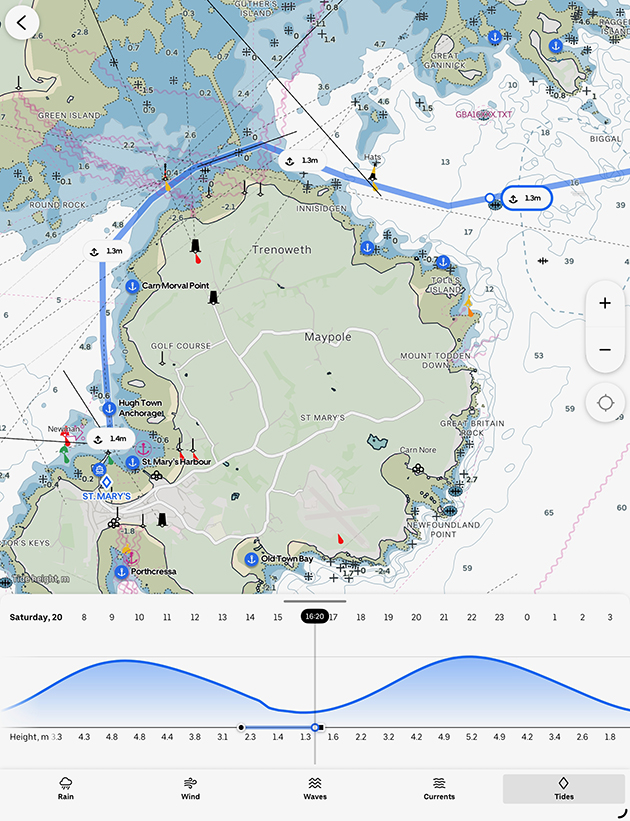
Tidal heights are displayed as a curve but also by expected time along your route allowing you to check you’ve got enough water (or not). Credit: Justin Morton
Automatic routing is ok but doesn’t respect navigational conventions and routes can be a bit jagged depending on how far off obstacles you’ve set the routing tolerances. I did like the dual planning speed option for powerboats which gave decent arrival times. I also analysed a few sailing routes. Used as a general guide, they will certainly alert you to something you may have missed like a big shift or a dying wind; which is probably all we should expect in this price bracket and where tidal streams are not factored into the algorithms.
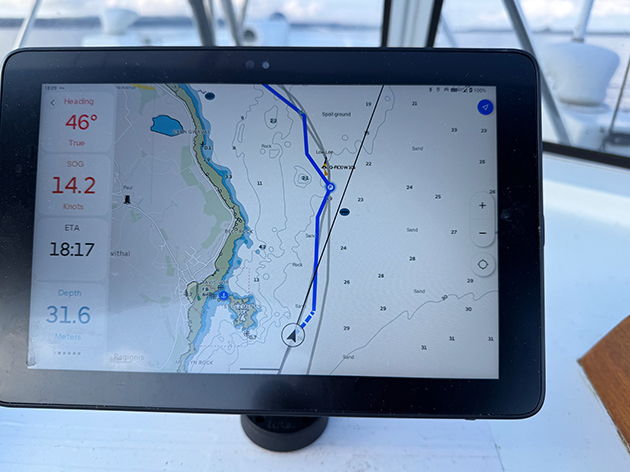
Routes don’t follow navigational convention but are easily amended. Credit: Justin Morton
OveralI though, I found the current routing process a little frustrating; the specific data entry sequence, the animated flourishes, the ‘helpful’ resizing and refocusing of the screen as you change modes all seemed to conspire to distract or slow me down. I think this is because it wants to give me a beautifully presented solution when I know I’ve got decisions to make and details to check so I would much rather it let me get on with it.
Active Navigation
I liked the style of the charts and I think the configurable instrument overlays are well judged. This allows significant flexibility of use, whether you want a mast-mounted instrument display or, as I used it, a replacement fully functioning chartplotter. I thought the drying areas on charts lacked a little detail (sea-bed type predominately) but appreciated the clarity of the chart and the displayed route when on the move. I thought the night mode was one of the clearest I have seen and very usable, particularly in that awkward period when your night vision hasn’t fully developed.
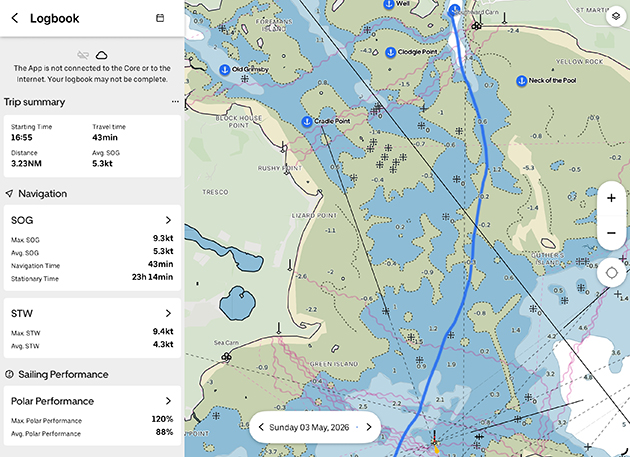
Charts are clear, but Justin would have liked a little more detail in the drying areas. Credit: Justin Morton
However, I’d prefer proper notification that my GNSS position had been lost rather than the information being four menus deep; and I’d prefer to be able to see at a glance which AIS targets come from online sources and those locally received.
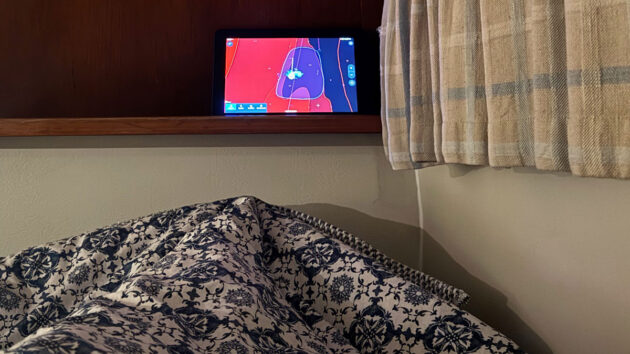
The Anchor Watch function can easily be monitored at the end of Justin’s bunk. Credit: Justin Morton
Finally, Guard Mode (anchor watch) is excellent as it allows you to freehand draw your zone rather than rely on a variable range ring. And the Display 2 battery is easily big enough to leave it on all night conveniently in sight of your bunk.
Conclusions
I thought I was going to like the Orca navigation system and I did. I was surprised how much I really liked the Android Display 2 tablet (I am firmly in the Apple camp), as much for its rugged flexibility of use and sunlight readability, as for its navigational functionality. The charging mount increases the tablet’s utility significantly and a must-have if you want it to replace a fixed chartplotter. I also valued how clear underway navigation was and the routing and weather functions have some very nice features not found in apps at this price point, and features are being added all of the time.
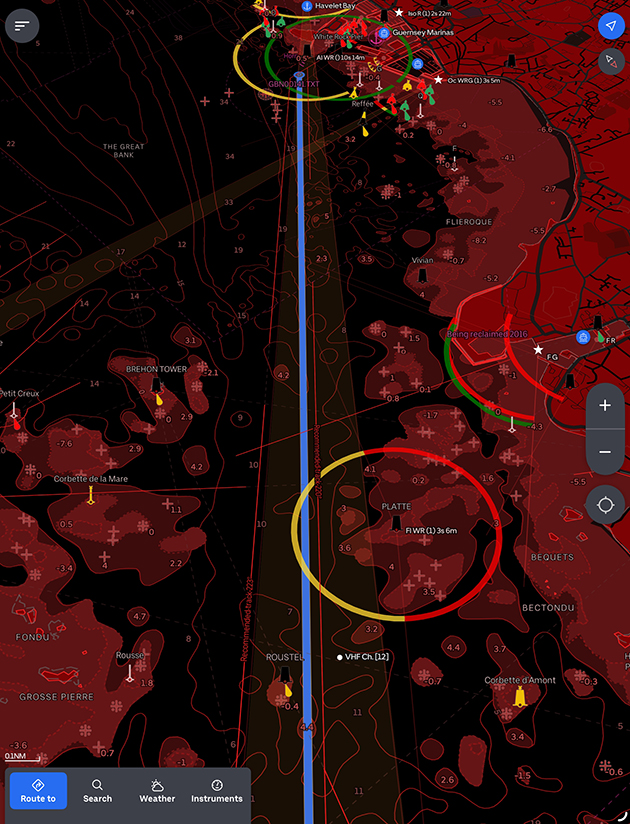
Night (dark) mode on the Orca. Credit: Justin Morton
In retrospect, I found the Core a little harder to justify mainly because I don’t need a sailing processor and it replicates functions I already have onboard except the one I’d like, which is wireless connectivity to other apps. That said, I will miss the automatic logbook recording and the ability to monitor the boat remotely from ashore.
Finally, I found route planning a bit clunky and slow because it tries to ‘help’ too much but ‘satnav-style’ short day-trip routing is quick and easy and delivered with a flourish. And what is great about software-oriented companies like Orca is that their development cycles are weeks and months, not years, so can and do respond quite quickly to user feedback.
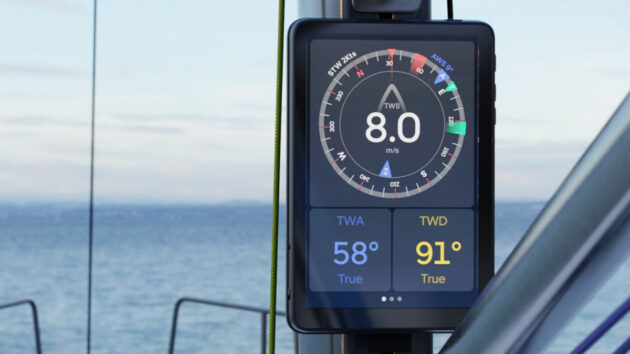
The Orca instrument display on the mast. Credit: Justin Morton
Who do I think the system is best suited for? First, any boat with ageing systems where the instruments are fine but owners want an updated chartplotter with all of the benefits a portable device can bring.
Second, for smaller boats (and cruiser racers) who can benefit from an awful lot of additional dedicated robust functionality, within a reasonable size footprint and all for the cost of 10” fixed chartplotter.
Finally, it’s worth a look if you have a new boat – it’s neat, looks pretty stylish, and won’t cost the earth to upgrade in 5 years time.
Rating the Orca Navigation System
Overall: 4/5
Helpful/Useful Features: 5/5
General ease of use: 4/5
Intuitiveness: 3/5
Resilience: 4/5
Value for Money: 5/5